 AI Chat Downloader
Chrome extension
Export any AI chat to PDF, Markdown, JSON or text
One click turns the conversation you have open into a clean file you can keep, search and share. Pick the messages you want, choose a format, and download.
Free · No account · Runs in your browser
Works where you already chat
The Export button appears on the conversation page itself. No copy and paste, no extra tabs.
- ChatGPT
- Claude
- Gemini
- Grok
- DeepSeek
- Perplexitybeta
Save it the way you need it
Pick a format for sharing, notes, code or data. Or copy straight to your clipboard.
- PDFShare and print
- MarkdownNotes and docs
- JSONScripts and datasets
- TextPlain and simple
Copy to clipboard is available for Markdown, JSON and text.
A PDF that reads like the conversation
Selectable text for Latin-script languages, laid out cleanly, with no length limit.
Rich formatting
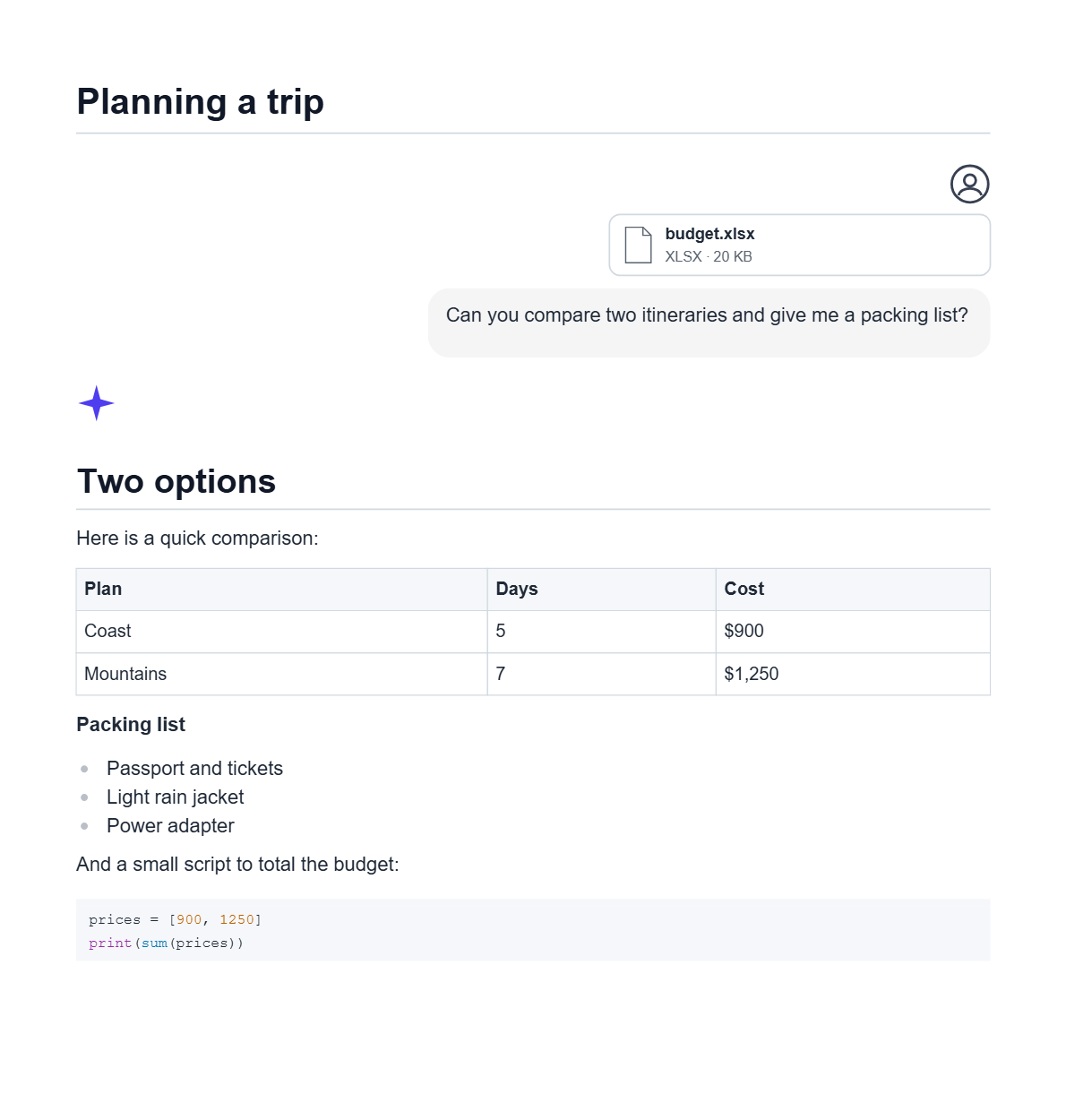
Headings, lists, tables, formulas and syntax-highlighted code blocks, with your questions in shaded bubbles and page numbers throughout.
Choose your messages
Tick exactly what to include, or filter to only your questions or only the answers. Leave out the rest.
Images and files
Images you shared are included where the site makes them available. Uploaded files appear as small cards with name, type and size.
Long chats, in full
Conversations of any length export completely, split cleanly across pages line by line, with page numbers.
Your chats never leave your browser
The conversation is read and the file is built right in your browser. Nothing is uploaded to any server, there is no account, and only your settings are saved on your own device.
Free. Unlimited PDFs.
No watermarks, no limits, no paid tier and no hidden payments. After an export you may see an optional coffee button if you would like to support the project. It is a donation, never a requirement.
Export in three steps
Open a conversation
Go to any chat you want to keep. An Export button appears near the bottom right of the page.
Choose what to include
Click Export, then tick the messages you want. Use the All, Human, Assistant and None filters to speed it up.
Pick a format and download
Choose PDF, Markdown, JSON or text, and click Export. Your file downloads straight away.